
How to Search the Hamilton County Inmate Roster
The Hamilton County Sheriff's Office keeps the official jail roster. Sheriff Austin Garrett leads the office, and his corrections staff book and hold people at the county jail. The inmate search tool lives on the HCSO site. It asks for a last name or an SPN number, which is the booking ID the jail assigns at intake. You do not need both. Either one will pull a result.
The page also offers a link to view the full list of everyone in custody. That full list helps when you are not sure of a name spelling. Start broad, then narrow your search if the list runs long.
The roster is the front door to a wider set of HCSO tools. From the same page, the footer links the Tennessee Bureau of Investigation, the TBI Top 10 Most Wanted list, the Tennessee Sex Offender Registry, and VINE. That layout lets you move from a custody check to a warrant or registry check without leaving the Sheriff's site. The roster covers people held at the county jail right now, so it does not show past inmates who have already left.
The HCSO inmate search page lays out these fields and the jail contact block in one place.
You can open the Hamilton County Sheriff's Office inmate search to look up a person by last name or SPN number.
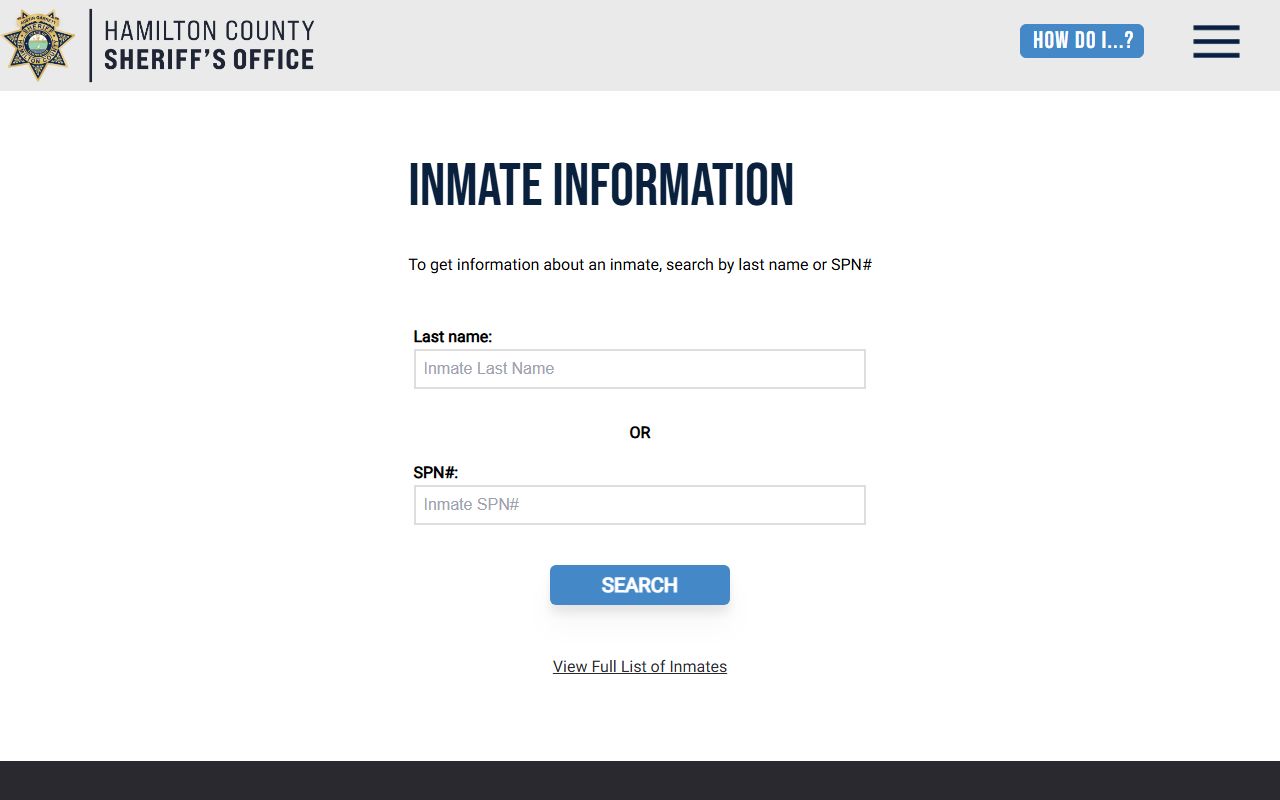
That same page links the Tennessee Sex Offender Registry, the VINE notification service, and the jail's phone line, so it acts as a hub for custody lookups.
Hamilton County Inmate Search Fields
The roster keeps its search simple. There are two ways in: a name field and a booking-number field. The table below lists each field, whether it is needed, and a short note on how it works. Use it to plan a search before you open the tool.
| Field Label | Type | Required | Notes / Format |
|---|---|---|---|
| Last name | Text | Optional if SPN used | Search by the inmate's last name; partial spellings may return a wider list |
| SPN# | Text | Optional if last name used | The Sheriff's Personal Number, a booking ID set at intake |
| View Full List of Inmates | Link | n/a | Opens the full current roster of people in custody |
| New Search | Button | n/a | Returns from a profile back to the search form |
A name search may return several people who share a last name. The SPN number points to one record. If you have the booking number from a prior visit or a bond paper, that is the fastest path.
Steps to Use the Hamilton County Jail Roster
The roster works the same way on a phone or a computer. You pick a field, type what you know, and read the result. A few simple steps keep the search clean and cut down on dead ends. Common names can flood the screen, so add detail when you can.
Follow these steps to run a Hamilton County inmate search and open a profile.
- Open the HCSO inmate search page on the Sheriff's Office site.
- Type a last name, or enter the SPN booking number if you have it.
- Run the search, or click the link to view the full list of inmates.
- Scan the results and pick the person who matches the name and date of birth.
- Open the profile to read bond, judge, division, and court date.
- Click New Search to start over, or call the jail to confirm status.
Online data can lag behind the jail floor. For a same-day status, the phone line is the surer route.
What a Hamilton County Inmate Profile Shows
Each profile collects the key facts about one person in custody. A sample record pulled from the HCSO tool showed a photo area, the inmate's name, a date of birth, a bond amount, the judge, the court division, and an upcoming court date. It also showed a VINE link for victim alerts and steps for setting up a visit. Not every field the jail tracks shows up on the public page.
The two-column table below maps each field to what it tells you, so you can read a Hamilton County inmate record without guessing.
| Field | What It Shows |
|---|---|
| Mugshot | A booking photo, or a placeholder when no image is posted |
| Name | The inmate's name in last, first, middle order |
| DOB | Date of birth, which helps tell apart people with the same name |
| Bond amount | The dollar amount set for release before trial |
| Judge | The judge assigned to the criminal case |
| Division | The court division handling the matter |
| Court date | The next scheduled court appearance |
| VINE link | A path to register for custody-change alerts |
The bond amount and court date carry the most weight for most searches. Bond is the security set for release before trial, and the figure on the profile tells you what it would take to get the person out. The judge and division point to the courtroom handling the matter, which helps if you plan to attend or pull the case file. The VINE link on the profile ties the record straight to the alert system, so a victim can register without hunting for it.
The public profile does not show a booking number trail, the full charge code list, the holding pod, or a release date. It also leaves out booking time, the arresting agency, warrant numbers, physical descriptors, and any medical or protective flags. Those details, when allowed, come from the jail or the court clerk. For charge and case history, check the arrest records page or the court records portals.
Note: A public inmate profile is a reference tool, not an official record, so call the jail or clerk before you rely on bond or court details.
Hamilton County Jail and Sheriff Contact Details
Two HCSO addresses matter most for inmate questions. The jail itself holds people in custody and answers status calls. The administrative headquarters downtown runs the wider office. The cards below give the address and phone for each so you reach the right desk on the first try.
Hamilton County Jail and Detention Center
601 Justice Way
Chattanooga, TN 37421
423-209-7125
HCSO Administrative Headquarters
600 Market Street
Chattanooga, TN 37402
423-209-7000
The jail line is the one to call for a custody check or a booking question. The headquarters line handles general office matters and routes other calls. You can find both, along with the office mission and a statistical review, on the Hamilton County Sheriff's Office homepage.
The Hamilton County Booking Process
Booking is the intake step that creates an inmate record. An arresting agency brings the person to the Hamilton County Jail and Detention Center on Justice Way. Staff confirm who the person is, log the charges, take a photo, and record the demographic and court data tied to the case. The jail also reviews custody risk and links bond and court-date facts to the public search where the law allows.
From there, the case track depends on the charge. General Sessions Criminal Court handles the first steps for misdemeanors and traffic counts, and it holds preliminary hearings on felonies to decide if there is enough cause for a grand jury. Bond, the judge and division, and the next court date can all surface on the inmate profile once they are set.
For the public, the booking record is the bridge between an arrest and a court case. The jail assigns the SPN at intake, and that number stays with the person through their stay. A search by that number pulls one record, which is why it beats a common last name. The Sheriff's Office is the agency that holds the person and posts the data, while the courts handle the charges that put them there.
Booking facts can shift hour to hour. A person may post bond, move to a new court setting, or be released before the online roster updates. When the timing matters, calling the jail at 423-209-7125 beats refreshing the page. The General Sessions and Criminal Court clerks hold the official case papers, so a certified copy of a charge or disposition comes from them, not from the inmate roster.
VINE Victim Notification for Hamilton County Inmates
VINE is a free service that alerts crime victims and the public when an inmate's custody status changes. Hamilton County links VINE from the inmate profile and from its court pages. You can register by phone or online to get a call, text, or email when a person is released, transferred, or has a court event. This matters most for victims who need to know the moment someone leaves the jail.
The VINE phone line for Tennessee is 1-866-277-7477. You can also set up alerts through the state VINELink website.
Sign up for alerts on the Tennessee VINELink notification portal to track a custody change.
VINE is built for cases that move. A person can leave the county jail and still be tracked, because the alert follows custody changes across the system. That is useful when a defendant transfers to a state facility or comes back on a new charge. Victims and witnesses use it most, but the public can register too.
Absence from the roster is not proof of release on its own. A name can drop for a transfer, a court move, or a routine data update. For confirmed release status, the released inmates page lays out the full verification path, from the roster to a jail call to state and federal locators.
Free Online Visits and Visitor Rules
The Sheriff's Office offers free online visits through Viapath. The inmate profile points visitors to GettingOut to set up a session. The service runs over a phone, tablet, or computer, so a visit does not require a drive to the jail. Before a first visit, each visitor must clear a short verification step.
The GettingOut portal is where you create an account and schedule a video visit with a Hamilton County inmate.
You can register and book a session through the GettingOut visitation portal used by the county jail.
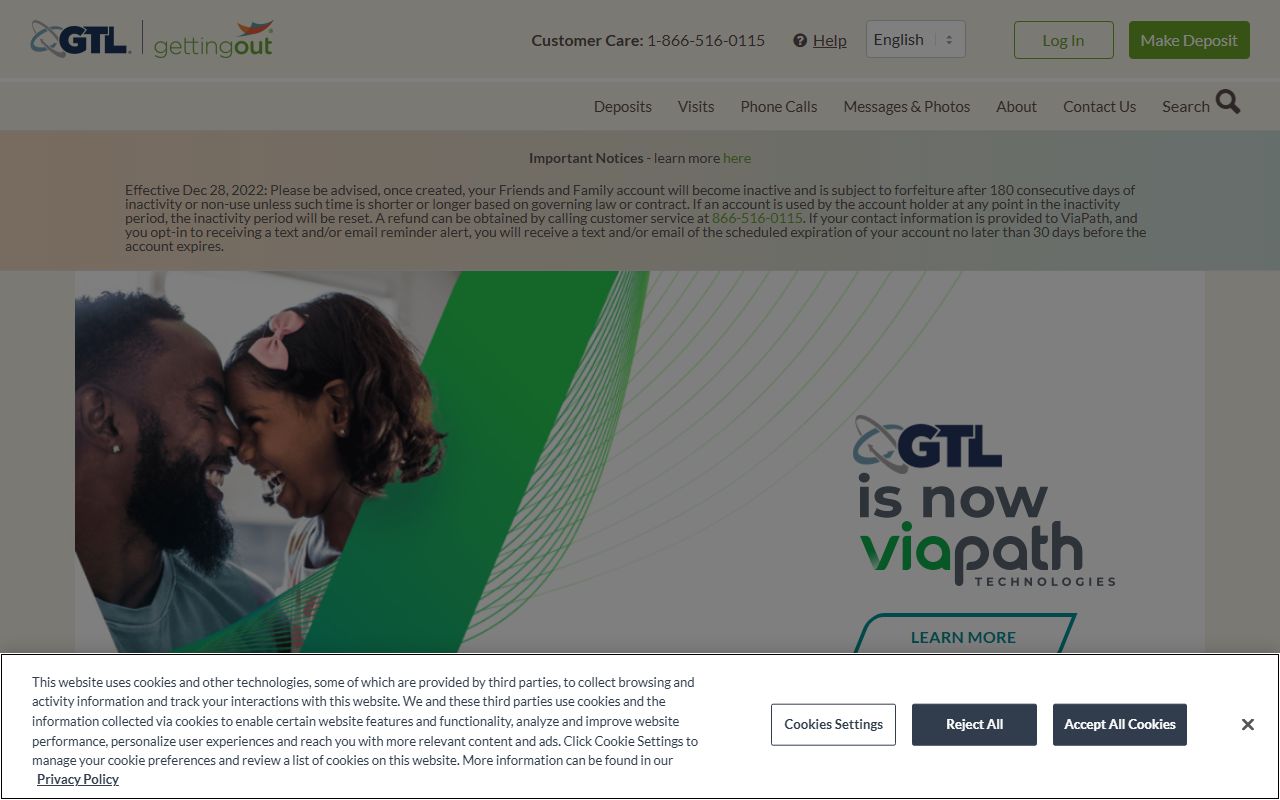
Setup asks for proof of identity and age before a visit goes through. The requirements below come straight from the HCSO inmate profile.
- Submit a government-issued ID with a first and last name that match the account.
- Take a headshot photo for verification.
- Be at least 18 years old to register as a visitor.
- Be free from incarceration for at least 6 months.
If a step fails or a visit will not schedule, the jail runs a help line for visit support.
- Visitation Assistance
- 423-209-7086
- Days
- Monday through Friday
- Hours
- 10:00 a.m. to 6:00 p.m.
Call within those hours for help with an ID upload, a headshot, or a blocked account.